Life Certificate 2026: Submit Before 30 November
Submit your 2026 Life Certificate by 30 November. Compare online, bank, and post office, required details and DocuPro's free office service in Bangalore.
Life Certificate 2026: Submit Before 30 November
Quick answer: For the 2026 annual Life Certificate campaign, the nationwide Digital Life Certificate Campaign 5 runs until 30 November 2026. Central Government pensioners below 80 generally submit during November, while pensioners aged 80 and above have an earlier window beginning 1 October. Other pension categories should follow the schedule communicated by their own pension sanctioning or disbursing authority. A Life Certificate can be submitted digitally using Jeevan Pramaan face or biometric authentication, through a bank or post office, or at an authorised service point. In Bangalore, DocuPro offers free assistance at its office and a doorstep service for ₹1,500 + GST.
What Is a Life Certificate and Why Do Pensioners Need It?
A Life Certificate is proof that a pensioner is alive and continues to meet the requirement for receiving pension payments. Pensioners are generally asked to submit it periodically to the authority responsible for paying their pension.
For many years, the familiar process meant visiting a bank, pension office or other designated location, submitting the certificate and completing the required verification. The Digital Life Certificate system, known as Jeevan Pramaan, was introduced to make this process easier through Aadhaar-based authentication.
Instead of relying only on a paper certificate, an eligible pensioner can have a Digital Life Certificate generated after successful authentication. The pensioner receives a Pramaan ID, which can be used to identify the certificate.
One important point: a Digital Life Certificate is not necessarily valid forever or automatically for exactly the same period for every pensioner. The official Jeevan Pramaan FAQ says the validity period is determined by the pension sanctioning authority's rules. Check the validity and next due date applicable to your pension category.
Life Certificate 2026: What Is the Last Date?
The nationwide Digital Life Certificate Campaign 5 is scheduled to continue through 30 November 2026. Pensioners should avoid waiting until the final days, especially if they need to correct a mismatch or arrange assistance.
For Central Government pensioners, the usual annual submission windows are:
| Pensioner category | Usual 2026 submission window |
|---|---|
| Central Government pensioners below 80 years | 1 November to 30 November 2026 |
| Central Government pensioners aged 80 years and above | From 1 October 2026 |
These dates are not a universal rule for every pension scheme. State Government, PSU, EPFO and other pension arrangements may follow instructions issued by their own pension sanctioning authority or pension disbursing agency. If you receive a pension through a particular department, bank, treasury or organisation, check its current notice before relying on the Central Government window.
Our practical suggestion: If your certificate is due this year, submit it as early as possible within the applicable window. Keep the acknowledgement or Pramaan ID. If you have already submitted it, check that the certificate has been generated successfully rather than assuming that opening an app or completing a partial form is enough.
How Can You Submit a Life Certificate in 2026?
There is more than one way to complete the process. The right option depends on the pensioner's comfort with technology, mobility, access to a smartphone and the authentication method accepted for their pension.
| Method | May suit | What to know |
|---|---|---|
| Jeevan Pramaan face authentication | Pensioners or family members comfortable using a compatible smartphone. | Uses the phone camera for face authentication. Required apps and device requirements must be met. |
| Biometric authentication | Pensioners using an authorised centre or a compatible fingerprint/iris device. | Requires a supported STQC-certified device and its RD service where applicable. |
| Bank branch or pension disbursing agency | People who prefer assisted in-person submission. | Ask the branch which counter, documents and authentication process apply. |
| Post office or India Post Payments Bank channel | Pensioners who need an assisted or doorstep route, subject to availability and eligibility. | Check current availability, booking and whether any charge applies to the specific service. |
| Common Service Centre (CSC) | People who need help with digital submission or biometric equipment. | Find an authorised centre and confirm its service availability and charges. |
| DocuPro office assistance in Bangalore | Senior citizens who want in-person help with the process. | DocuPro's office assistance is free. Contact the team before visiting to confirm the current process and what to carry. |
| DocuPro doorstep assistance in Bangalore | Pensioners who cannot comfortably travel to an office. | Fixed DocuPro service fee: ₹1,500 + GST. Available in Bangalore only. |
Do not confuse the fee charged by a private assistance provider with the government's fee for generating a Digital Life Certificate. The official process and certain public doorstep options may be available separately. Always check the terms and charges of the channel you choose.
How Does Digital Life Certificate Face Authentication Work?
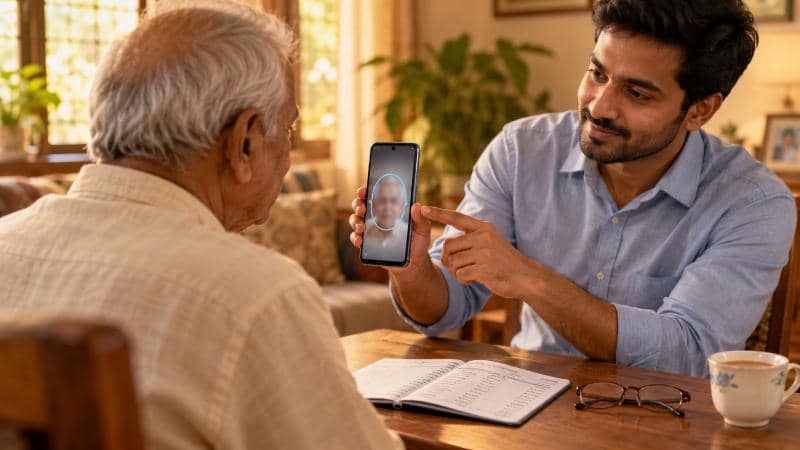
Face authentication allows an eligible pensioner to use a compatible smartphone camera rather than an external fingerprint or iris scanner. The official Jeevan Pramaan website provides the application and instructions for supported Android and iOS devices.
In broad terms, the process involves:
- Install the official Jeevan Pramaan application and the required Aadhaar face authentication component from the authorised app store.
- Enter the pensioner's required identity and pension details in the application.
- Complete the face capture and authentication instructions shown on the phone.
- Submit the details for Digital Life Certificate generation.
- Save the Pramaan ID and confirmation for future reference.
The official application page lists supported operating system versions and explains that face authentication uses the phone camera and does not require an external biometric device. Device compatibility and application requirements can change, so use the latest official instructions at Jeevan Pramaan app downloads.
Not every pensioner will find the phone-based method convenient. Poor lighting, difficulty positioning the phone, an older device, app permissions, network issues or difficulty entering pension details can make assisted submission a better option.
Details and Documents to Keep Ready
Before starting, keep the following information nearby. The exact fields can vary depending on the pension type and the system being used.
- Aadhaar number: The pensioner's Aadhaar details required for the selected authentication method.
- Mobile number: A working mobile number for OTPs or confirmation messages, as applicable.
- PPO number: The Pension Payment Order number, where issued for the pension.
- Pension account details: The account through which the pension is disbursed.
- Pension sanctioning authority: The department or authority that sanctioned the pension.
- Pension disbursing agency: The bank, post office, treasury or other agency responsible for disbursement.
- Additional pension details: Any identification number or information requested for the pension category.
Keep the information exactly as it appears in the pension records. Do not guess a PPO number or select a similar-sounding department or bank from a dropdown. If the pensioner is unsure, check the pension payment order, bank pension records or the relevant pension office.
Common Reasons for Life Certificate Delays or Authentication Problems
Incorrect PPO or pension account details
A typing error or an incorrect pension disbursing agency selection can prevent the certificate from being generated or correctly associated with the pensioner's record. Verify the details before submission.
Name or identity details do not match
Differences between Aadhaar and pension records can create verification issues. If the names differ, do not repeatedly submit random variations. Ask the pension disbursing agency how the discrepancy should be corrected.
Face authentication does not work
Try the official app instructions, ensure the camera is clear, use even lighting and follow the positioning prompts. If authentication continues to fail, use an accepted biometric or assisted channel instead.
Mobile number or OTP issue
Check whether the phone can receive messages and whether the number entered is correct. Where the selected workflow requires an OTP, a non-working number can interrupt the process.
Assuming the certificate was submitted when it was only started
Starting an application is not the same as generating a certificate. Wait for a successful confirmation and save the Pramaan ID or acknowledgement.
Waiting until the last day
If a record needs correction, a device is incompatible or an appointment is unavailable, the issue may take time to resolve. Submit early enough to have room for a second attempt or another method.
What Happens After You Submit the Life Certificate?
After successful generation, the pensioner receives a Pramaan ID or transaction confirmation. Keep it safely, along with the date of submission and a copy of the certificate if available.
The Digital Life Certificate is made available to the relevant pension disbursing authority through the system. However, pensioners should still check with their bank, treasury, department or pension authority if the certificate is not reflected or if a pension payment is delayed.
A successful authentication does not resolve every possible pension-account issue. If pension payments remain on hold, contact the pension disbursing agency and ask whether the Life Certificate has been received and whether any separate verification or record correction is pending.
If you miss the submission window, contact the pension disbursing authority promptly and submit the certificate through an accepted route. Do not assume that every pension category follows the same rule for delayed submission, restoration or arrears.
Life Certificate Assistance from DocuPro in Bangalore
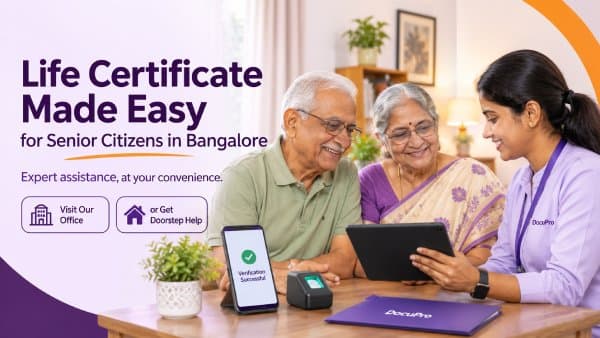
For some senior citizens, the difficult part is not understanding why a Life Certificate is needed. It is managing the phone, OTP, application, pension details and authentication steps without help. Travelling to a centre can also be inconvenient for people with mobility concerns.
DocuPro offers two ways to get assistance in Bangalore:
Option 1: Visit the DocuPro office — Free assistance
Pensioners can visit the DocuPro office for assistance with the Life Certificate process at no service charge. Please contact the team before visiting so that the current process and documents can be confirmed.
Option 2: Doorstep service in Bangalore — ₹1,500 + GST
If the pensioner cannot travel comfortably, DocuPro can arrange doorstep assistance in Bangalore for a fixed service fee of ₹1,500 + GST. This service is currently available only within Bangalore, not across Karnataka.
Depending on the pensioner's case, the team helps check the required details, facilitate the applicable Aadhaar-based biometric or face authentication and support Digital Life Certificate generation. The Pramaan ID and certificate confirmation should be retained by the pensioner.
Please note: DocuPro is an independent service provider, not a government agency. The free office assistance and the paid doorstep option are DocuPro service arrangements. The ₹1,500 + GST charge applies to DocuPro's doorstep assistance, not to a government fee for the Life Certificate. Pension authorities determine the certificate's acceptance and pension disbursement.
If you are arranging the certificate for a parent or another family member, contact DocuPro before the deadline to confirm the appointment or doorstep availability.
Need help with a Life Certificate in Bangalore? Visit docupro.in or call 08047361199.
Frequently Asked Questions
1. What is the last date for submitting a Life Certificate in 2026?
The nationwide Digital Life Certificate Campaign 5 runs until 30 November 2026. Central Government pensioners below 80 generally submit during November. Pensioners aged 80 and above have an earlier window beginning 1 October. Other pension categories should confirm their own authority's schedule.
2. Can a pensioner submit a Life Certificate from home?
Yes. Eligible pensioners may use the official face-authentication process on a compatible smartphone or an accepted biometric setup. Assisted doorstep options may also be available through authorised public or private service channels. Check the terms, availability and charges of the chosen service.
3. Is Jeevan Pramaan the same as a Life Certificate?
Jeevan Pramaan is the Government of India's Digital Life Certificate service. A Life Certificate is the proof required by the pension authority; Jeevan Pramaan is one digital method of generating and submitting it.
4. Does a pensioner need a fingerprint scanner for a Digital Life Certificate?
Not necessarily. The official Jeevan Pramaan face-authentication application can use a compatible smartphone camera without an external biometric device. Fingerprint or iris authentication uses a supported biometric device and its required RD service.
5. What details are needed for Jeevan Pramaan?
Commonly required details include Aadhaar number, mobile number, PPO number, pension account information, pension sanctioning authority and pension disbursing agency. The exact requirements depend on the pension category and submission method.
6. Is the Life Certificate submission free?
Charges depend on the channel. DocuPro provides office assistance free of service charge. Its Bangalore doorstep service costs ₹1,500 + GST. These are DocuPro service terms, not government fees. Other public or private channels may have their own terms.
7. Does DocuPro provide doorstep Life Certificate service across Karnataka?
No. DocuPro's doorstep Life Certificate service is currently available only in Bangalore. The fixed service fee is ₹1,500 + GST.
8. Can someone else submit the Life Certificate on behalf of a pensioner?
The pensioner's required authentication must still be completed through an accepted method. A family member may help with the phone or details, but cannot simply authenticate as the pensioner. Follow the official process for the selected method.
9. How long is a Digital Life Certificate valid?
Its validity is determined by the rules of the pension sanctioning authority. Do not assume that every Digital Life Certificate is valid for exactly one year. Check the applicable due date for the pension category.
10. What should I do if my pension is delayed after submitting Jeevan Pramaan?
Keep the Pramaan ID and submission confirmation, then contact the pension disbursing bank, treasury or department. Ask whether the certificate has been received and whether another verification, correction or pension-account issue is pending.
Accuracy note: This article is general information and not pension, legal or financial advice. The 30 November 2026 campaign end date and Central Government age-based submission windows should not be treated as a universal deadline for every pension scheme. Always follow the latest instructions of the pension sanctioning authority and pension disbursing agency. App requirements, certificate validity, authentication methods and public doorstep options may change.
Related Blogs
 Personal
Life Certificate 2026 for Pensioners: Last Date & How to Submit
 Personal
Rights of Senior Citizens in India: Laws, Maintenance, Property & Tax Protections
 Personal
Life Certificate 2025: Complete Guide to Jeevan Pramaan — Online & Offline Process for Pensioners
- Form 121 Replaces Forms 15G & 15H from April 2026: What You Need to Know
- How to Get a Caste Certificate in Bangalore (2026): Process, Documents, Timeline and New Internal Reservation Rules
- Composite Salary Account for Central Government Employees: Meaning, Benefits, Eligibility and Key Details Explained
- Name Change After Marriage: The Right Order for Every Document
- Hindu Marriage Registration in Bangalore: Documents, Timeline and Where It’s Needed
- Indian Citizenship Rules 2026: Passport & OCI Changes
- Free Aadhaar Biometric Update for Children Until 2027