
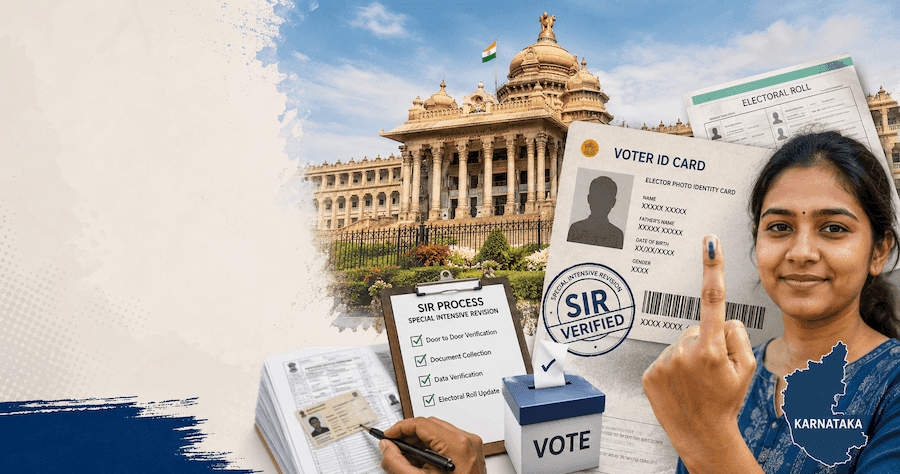
Karnataka SIR: A Step-by-Step Guide to the Voter Roll Revision (July 2026 Update)
Here's how to search your existing voter record, find your name in the last SIR, fill the enumeration form, update details via Form 8, and update the records
Karnataka SIR: A Step-by-Step Guide to the Voter Roll Revision (July 2026 Update)
The Election Commission of India (ECI) has launched the Special Intensive Revision (SIR) 2026 in Karnataka, part of a nationwide exercise covering 16 states and 3 union territories. Unlike a routine annual update, SIR is a detailed, house-to-house verification of every voter's name, age, address, and family linkage — and it can affect even people who already hold a valid Voter ID.
BLOs began distributing enumeration forms across Karnataka on 30 June, with the exercise running until 29 July and the final roll due on 7 October 2026. Karnataka has over 5.5 crore registered electors, and as of late June, roughly 46.5 lakh were still unmapped — so there's a real chance your record, or a family member's, needs attention. Here's exactly what to do.
1. Search for Your Existing Voter ID Record
Before anything else, confirm whether you already have a voter record in Karnataka's electoral rolls. This is done on the ECI's dedicated search portal:
Portal: electoralsearch.eci.gov.in
- Open the portal and choose either "Search by EPIC" (your Voter ID number) or "Search by Details" (name, date of birth, relative's name, state, and assembly constituency).
- If you don't have your EPIC number handy, use the details-based search — enter your name, father's/husband's name, gender, and constituency as accurately as possible.
- Enter the captcha and submit. If a match is found, you'll see your name, EPIC number, part number, and polling booth details.
If your record shows up correctly: you're already on the current roll, but you should still verify your details during SIR to avoid being flagged later. If nothing shows up or the details look wrong: move to the next step before assuming you need a fresh registration.
2. Search Your Record in the Last SIR (For Yourself or Your Parents)
A core part of SIR 2026 is family lineage mapping — the ECI cross-checks every current voter against the last intensive roll (SIR 2002/2003 in most states) to rule out duplicate or ghost entries. If your own name doesn't appear in that historical roll, which is common if you weren't a registered voter back then, you can instead trace a parent's or grandparent's record from that period and cite it as your family reference.
Portal: voters.eci.gov.in → look for "Search Your Name in Last SIR E-Roll."
- Select Karnataka and the relevant year of the last intensive roll, then search by name (try spelling variations, since old rolls are often scanned PDFs).
- If you find your own name, note the roll part number and serial number.
- If not, search using your father's, mother's, or spouse's name and note their record instead.
- No match online? Your local BLO holds a printed copy of the old roll and can help locate the entry manually — this is common enough that they're specifically trained for it.
Keep this reference handy — you'll need it for the enumeration form in the next step.
3. Fill the Enumeration Form for SIR
Every elector whose name was on the roll as of 16 June 2026 should receive a physical enumeration form from a BLO. You can also complete it online through the ECI voter portal or the ECINET app.
- Go to voters.eci.gov.in, select "Special Intensive Revision (SIR) – 2026," then click "Fill Enumeration Form."
- Log in with your mobile number and OTP, or sign up if you're a first-time portal user.
- Enter your details as they appear on your existing Voter ID: name, EPIC number, date of birth, gender, mobile number, and address.
- Add the family reference from Step 2 so the system can map your lineage correctly.
- Cross-check every field against your existing record — a common rejection trigger is a name spelled differently on Aadhaar versus the voter roll — and submit.
If a BLO also visits your home, you don't need to fill the form twice; simply mention you've already submitted online. Officials have clarified that no original documents need to be handed over during enumeration — only the signed form.
4. Update Your Details or Link Aadhaar — File Form 8
If your details need correction — a wrong spelling, an outdated phone number or email, a changed address within the same constituency, or linking your Aadhaar number to your voter record — the enumeration form isn't the right place. Use Form 8 instead, on voters.eci.gov.in.
- Log in with your mobile number and OTP.
- Select Form 8 – Correction of Entries / Update Details from the services menu.
- Choose the correction you need: name/spelling, date of birth, address, phone number, email ID, disability status, or Aadhaar linking.
- Upload supporting documents — for example, an Aadhaar copy for identity/address proof, or a marriage certificate for a post-marriage name change.
- Submit and note the reference number to track status on the portal.
Form 8 also covers a change of residence within Karnataka and replacement of a damaged or lost Voter ID.
5. Applying for a Voter ID for the First Time (Ages 18–25)
If you've turned 18, or will turn 18 on or before 1 October 2026 (the qualifying date for this revision), and don't yet have a Voter ID, register as a new elector using Form 6 on the same portal.
- Visit voters.eci.gov.in, sign up with your mobile number, email, and OTP verification.
- Select "New Voter Registration" and choose Form 6.
- Fill in your name, date of birth, gender, and current address with proof of ordinary residence in the constituency.
- Upload date-of-birth proof (birth certificate, PAN, marksheet, or Aadhaar), address proof, and a recent passport-size photo.
- Submit and save the acknowledgement number to track your application status.
Once approved, your name is added to the roll and you can download your e-EPIC (digital Voter ID) directly from the portal.
Why This Matters More Than a Routine Update
SIR isn't just a formality. Officials have been clear that holding a physical Voter ID card doesn't guarantee your name stays on the final roll — if your family mapping fails, or your details don't match across Aadhaar and voter records, you risk being marked "shifted," "duplicate," or "deceased" and dropped altogether. Urban areas with high migration — parts of Bengaluru, Whitefield, Electronic City, and Yelahanka among them — are seeing particularly close scrutiny this cycle. Verifying and correcting your details now, before the final roll is published in October, is far easier than contesting a deletion afterward.
How DocuPro Can Help
Between searching old rolls, mapping family records, filling the right form for the right purpose, and keeping documents consistent across Aadhaar and your voter ID, the SIR process has more moving parts than it looks. DocuPro's documentation team helps individuals and families across Bangalore, Hyderabad, Delhi/NCR, Chennai, Mumbai, Noida, and Gurgaon verify their electoral records, file Form 6 or Form 8 correctly, and resolve mismatches before they turn into a deleted vote. If you're unsure where your record stands, reach out to us before the SIR window closes.
Conclusion
Karnataka's SIR 2026 gives every voter a narrow but important window to get their record right — whether that means confirming an existing entry, tracing a family record from the last intensive revision, correcting a mismatched detail through Form 8, or registering as a voter for the first time through Form 6. With the enumeration phase running only until 29 July and the final roll locked in by October, the safest move is to check your status today rather than assume your existing Voter ID is enough.